Short answer: antique malls track vendor sales without spreadsheets by putting the vendor on every tag and letting the register credit each line to that vendor as it sells. Then sales by vendor exist the moment the receipt prints. Nobody keys them in at night, and month end becomes a review instead of a rebuild.
How malls track vendor sales by hand
The manual method is familiar to almost every mall owner. Each tag carries a booth number or vendor code. At checkout, someone writes the code next to each item, or tears off a tag stub. At the end of the day, the codes get keyed into a spreadsheet, and at month end the spreadsheet gets totaled by vendor.
It works with a handful of vendors. It gets harder with every vendor you add.
Where the spreadsheet breaks
- Mixed baskets. One customer buys from four booths, and every line has to be split by hand.
- Typos. One wrong booth number credits a sale to the wrong vendor, and nobody finds out until that vendor calls.
- Returns. A returned item has to be found and reversed against the right vendor, often weeks later.
- Busy days. The day you sell the most is the day the keying falls furthest behind.
- One person knows the formulas. When they're out, month end waits.
Every one of these turns into a phone call from a vendor who thinks a sale is missing.
Step 1: Put the vendor on the tag
Tracking starts before the sale. Every item needs a tag that says who owns it and what it costs, ideally as a barcode the register can scan.
If vendors handwrite their own tags, give them a consistent format with their vendor code in the same place every time. If your system prints labels, the vendor and price go on automatically.
Step 2: Credit each line at checkout
The register should split the sale, so nobody has to do it later. When a customer buys from several booths, each line goes to the vendor who owns it, at the moment of sale.
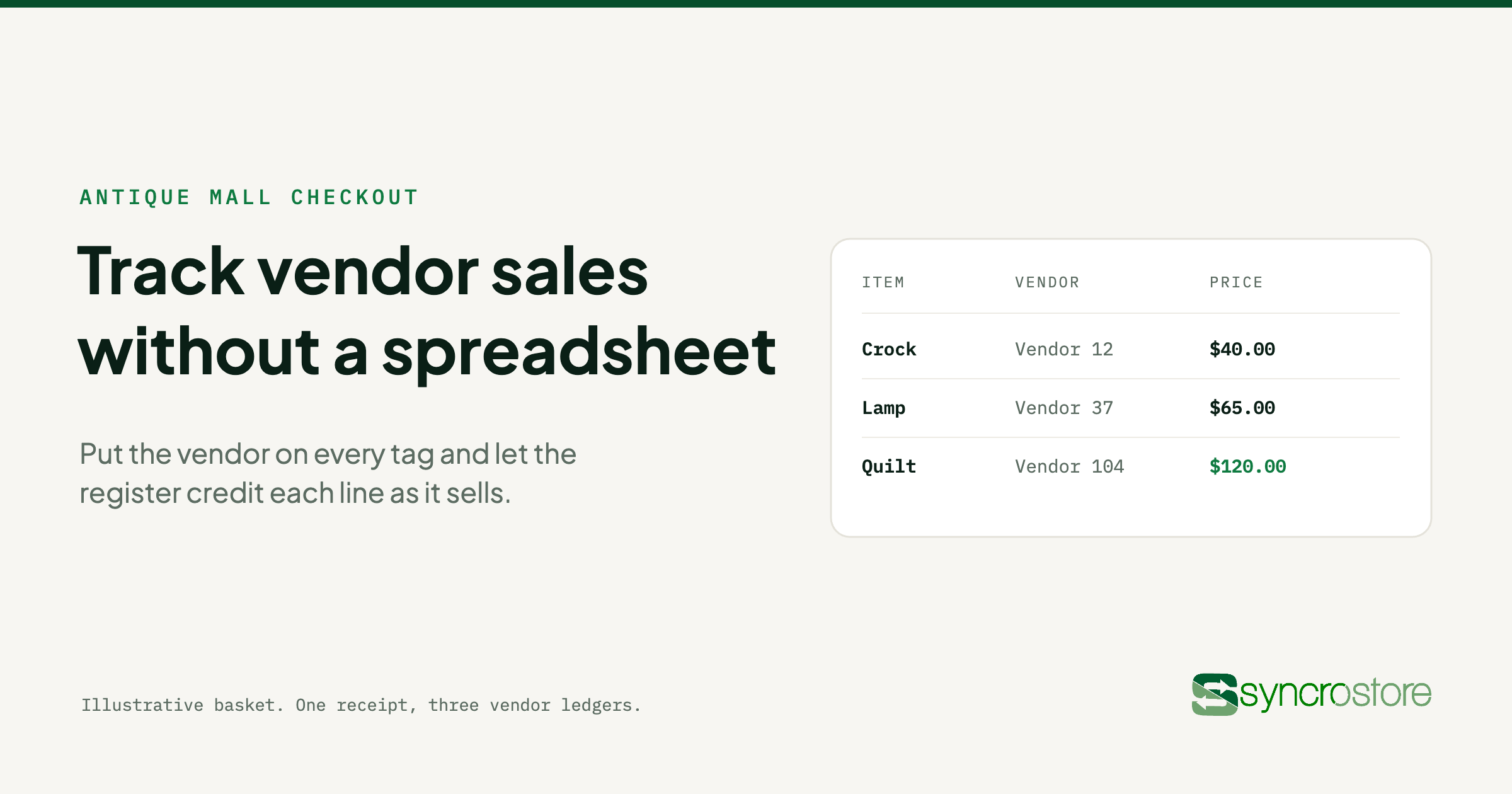
Here is an illustrative basket.
| Item | Vendor | Price |
| Stoneware crock | Vendor 12 | $40.00 |
| Brass lamp | Vendor 37 | $65.00 |
| Quilt | Vendor 104 | $120.00 |
| Sale total before tax | | $225.00 |
One receipt, three vendors. Each vendor's ledger gets their own line, and the mall keeps the sales tax. Done by hand, that's three entries someone has to make correctly. Done at the register, it's zero.
Step 3: Let vendors enter their own items
The fewer hands an item passes through, the fewer mistakes. If vendors can add their own stock, from home or in the booth, the item is tagged to them from the start and your staff never has to key it in.
Step 4: Reverse returns against the original sale
Returns are where manual tracking goes wrong most often. The original sale might be three weeks old, and someone has to find it, work out which vendor owned the item and take the credit back off that vendor's balance.
Handle every return against the original receipt, so the reversal lands on the same vendor who was credited for the sale. If your register can't do that, at least record the original sale date and vendor code on every return slip, so the correction can be traced later.
Step 5: Spot-check tags every week
Many attribution mistakes start on the floor. A tag with no vendor code, a smudged booth number or an item moved from another booth all end up credited to the wrong vendor, or to nobody.
Walk a few booths each week and look for untagged items and tags that don't match the booth they're in. A few minutes on the floor each week is easier than untangling it at month end.
Step 6: Give vendors their own view
Vendors track their sales whether you give them a way to or not. Without a login, they keep their own notebook and call you when it doesn't match.
Give every vendor a login where they can see each sale as it happens. Many "is this right?" calls end before they start, because the vendor can check for themselves.
Step 7: Review at month end instead of rebuilding
When every sale lands on the right vendor at checkout, month end changes shape. You're no longer totaling a spreadsheet. You're reviewing balances, looking at the exceptions and approving payouts. For what that review should look like, see vendor settlements at scale.
How Syncrostore tracks vendor sales
In Syncrostore™, a single transaction can hold goods from ten different vendors. Every line attributes to its owner at the moment of sale, with commission, rent offset and tax handled before the receipt prints.
Labels carry the vendor, the price and a Global ID barcode. Vendors get a login and add stock themselves, from home if they prefer, and see their sales and balance without asking the office. Each vendor's sales land on a bank-style ledger alongside rent and fees, and they read the same ledger you do. Vendors are unlimited on every plan, so a mall with 300 vendors runs the same way as one with 30.
See how it works for antique malls.
Frequently asked questions
How do antique malls track sales for each vendor?
Each item carries a tag with the vendor's code or barcode. The best setup has the register credit each line to that vendor at checkout, so sales by vendor are ready without any manual entry.
Can one sale include items from several vendors?
Yes. A good multi-vendor POS splits a single basket by line, so each vendor is credited for their own items on one receipt.
What software can track sales for more than 50 booths?
Look for a POS built for multi-vendor stores: one that attributes every line at checkout, gives each vendor a login and doesn't charge per vendor. Syncrostore has no vendor limit on any plan.
Do vendors need to come in to add their items?
Not with Syncrostore. Vendors can add stock from home and see their own sales and balance from their login.
Still keying sales into a spreadsheet? Bring last month's to a 30-minute demo and we'll show you the same month in Syncrostore.