Short answer: most vendor payout disputes start with one question: how did you get that number? You stop them by answering it before the vendor asks. Put every rate and fee in writing, post each charge to the vendor's ledger as it happens instead of at month end, let vendors check their own balance any time, send an itemized statement with every payout, and handle the disputes that still come up the same way every time.
Why payout disputes happen
A vendor who calls about a payout is rarely accusing you of anything. They're looking at a number that doesn't match what they expected, and they can't see how it was reached.
The usual causes:
- A charge they didn't expect, like a fee they forgot about or rent that came out of a slow month.
- A sale they think is missing.
- A rate they remember differently from what's in their agreement.
- A deduction with no explanation next to it.
- A payout that arrived later than last time.
Every one of these is a visibility problem. The fix is making the math something the vendor can read for themselves.
Put every rate and fee in writing
A vendor can't dispute a charge they signed up for, as long as they can find it. Write every rate into the vendor agreement: booth rent, commission, card fee handling, and every recurring fee, such as insurance or marketing.
Then set those rates up once, as rules, so they apply the same way every cycle. When rates live in someone's memory or a spreadsheet tab, they drift, and drift is what a vendor notices.
Post charges as they happen
Month-end is the worst time for a vendor to learn what they owe. If every charge lands at once, the payout looks like it shrank overnight.
Post each sale to the vendor's ledger when it rings up, and accrue rent and fees on a schedule the vendor knows. By the time the cycle closes, the payout is just the running balance, and nothing on it is new.
Let vendors check their own numbers
The vendor who calls is usually the vendor who can't see their account. Give every vendor a login where they can see their sales, running balance, itemized fees and payout history.
When the vendor and the store read the same ledger, the monthly conversation changes. Instead of "your number is wrong," it becomes "what was this line on the 14th," and that question takes a minute to answer.
Send an itemized statement with every payout
A payout with no statement invites a phone call. Every payout should come with a statement that shows each line that got the vendor from gross sales to the amount paid.
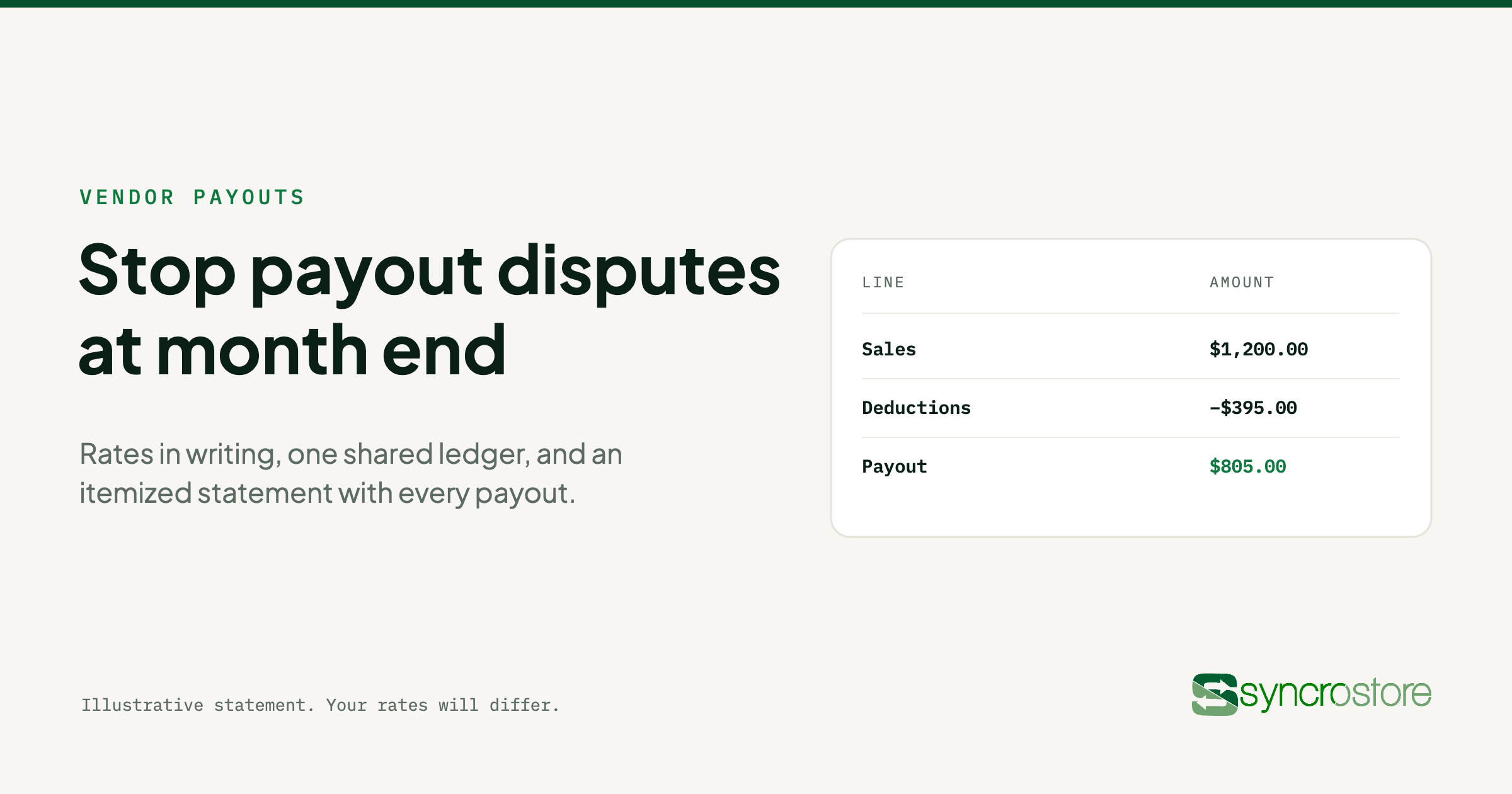
Here is an illustrative statement. Your rates will differ.
| Line | Amount |
| Sales this cycle | $1,200.00 |
| Commission at 10% | −$120.00 |
| Booth rent | −$200.00 |
| Marketing fee | −$25.00 |
| Holdback for returns | −$50.00 |
| Payout | $805.00 |
A vendor who gets this can check every line against their own records. A vendor who gets a bare $805 has to call you to find out why it isn't $1,080.
Make holdbacks visible
Holding back part of a payout to cover returns or unpaid rent is fair. Holding it back silently is how you lose a vendor's trust.
Show every holdback as its own line, with the reason next to it, and release it on a schedule the vendor knows. A held amount the vendor can see is a policy. One they can't see looks like money that went missing.
Handle disputes the same way every time
Some disputes will still happen. A consistent process keeps them small:
- Find the line. Ask the vendor which line on the statement they're questioning.
- Show the source. Pull up the sale, fee or rent charge behind it, with its date.
- Fix it with an adjustment, if it's wrong. Post a correction with a note, rather than editing the original entry, so the history stays intact.
- Confirm in writing, so both sides have the same record.
An adjustment with a note tells the vendor you fixed it and why. A number that quietly changes tells them the system can't be trusted.
Pay on the same schedule every cycle
Pick a settlement day and keep it. Vendors plan around their payout, and a late one feels like a missing one even when the amount is right. Write the schedule into the agreement next to the rates.
How Syncrostore prevents payout disputes
Syncrostore™ gives every vendor a bank-style ledger: a running balance with every debit and credit itemized, covering sales, commission, rent, recurring fees, adjustments, holdbacks and payouts. Vendors see the same ledger you do through the portal, and every cycle stays in the history.
Your rates are written as rules and applied every cycle, so nothing depends on someone remembering. At month end, every balance sits in one settlement view, with exceptions and holdbacks flagged. You batch approve the cycle or adjust line by line, then pay by SyncroACH™ or printed check from the same run, with an itemized statement attached. Holdbacks appear on the ledger as their own line, and adjustments carry an audit trail.
See how it works on the vendor management and settlements page.
Frequently asked questions
Why do vendors and consignors dispute their payouts?
Usually because they can't see how the payout was calculated. An unexpected fee, a sale they think is missing, or a deduction with no explanation all start the same phone call.
Should vendors be able to see their sales in real time?
Yes, if you can offer it. A vendor who can check their own sales and balance during the month is less likely to be surprised at settlement.
What should a vendor payout statement include?
Gross sales for the cycle, then every deduction on its own line, from commission and rent through to holdbacks. The last line is the amount paid.
What software reduces settlement disputes?
Look for software that posts each sale to the vendor's ledger as it happens, applies rent and fees by rule, gives vendors their own login, and sends an itemized statement with every payout. Syncrostore does all four on the same system that runs your checkout.
How many payout calls did you take last month? Bring one vendor's statement to a 30-minute demo and we'll show you the same cycle on a Syncrostore ledger.